
Compression,
mastered.
A high-performance native macOS archiver built for Apple Silicon. Compress, extract, batch-process, and inspect your archives with a multi-threaded Rust engine that keeps your files local and your workflow moving.
Archive Master
Fast, private, native archive management for Mac.
Engineered for your daily workflow.
Explore real screenshots from Archive Master running natively on Apple Silicon.
Make your Mac's hardware count.
A focused archive workflow engineered around the raw performance, zero-telemetry privacy, and design language of modern macOS.
Built for Apple Silicon
Archive Master is engineered from the ground up for M1, M2, M3, and M4 Mac hardware. Its optimized Rust core and multi-threaded engine make full use of the performance already inside your Mac.
Speed without shortcuts
Use Zstandard for fast, efficient compression, alongside LZ4, 7-Zip LZMA2, and multi-core deflate. Archive large project folders, footage, datasets, and design files without waiting on yesterday’s tools.
Every format in one place
Work confidently across ZIP, 7Z, TAR, GZ, BZ2, XZ, RAR, ISO, DMG, CAB, and more from one focused native interface.
Private by architecture
Archive Master performs its work locally on your device. There is no analytics, no telemetry, and no network access required to compress or extract your files.
Why Archive Master is different.
Archive Master pairs an Apple Silicon foundation with a multi-threaded Rust engine. Built to outperform decade-old utilities.
| Feature / Metric | Apple Default Archive Utility | Legacy Archivers (Keka / Unarchiver) | Archive Master (M-Series + Rust) |
|---|---|---|---|
| Apple Silicon optimization | System-integrated utility | Varies by version and workflow | Built natively for M1–M4 |
| Compression engine | Core archive workflows | Format-dependent legacy engines | Optimized Rust core with modern codecs |
| Multi-core processing | Limited workflow control | Varies by format and configuration | Multi-threaded processing designed for throughput |
| Modern Zstandard support | Not the central workflow | Varies by implementation | Included for high-speed compression |
| Batch processing | Basic one-off workflow | Available depending on app and setup | Dedicated background queue |
| Live hardware telemetry | Not available | Not central to the experience | Core saturation, throughput, ratio, and time saved |
| Network access required | No | Depends on app and configuration | No |
Built for power users. Calm for everyone.
Everything you need to compress, inspect, and extract gigabytes of data in seconds.
One command from done.
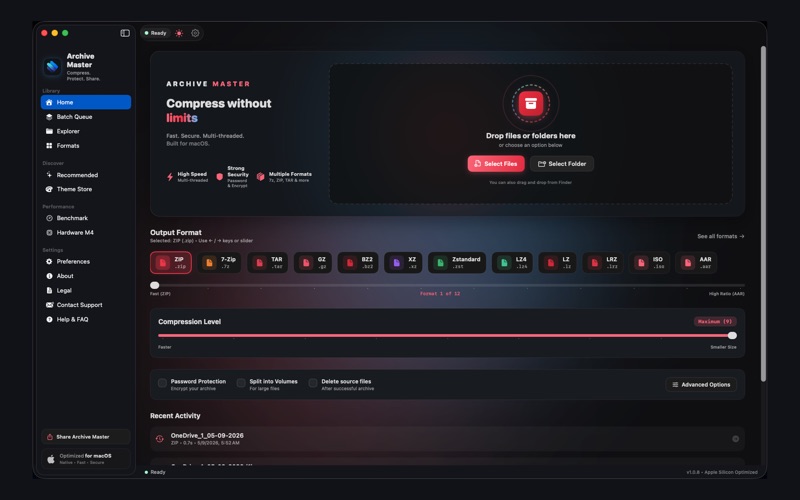
Drop files in, choose your format, and let Archive Master handle the rest. The focused interface keeps compression and extraction clear, fast, and unmistakably native to macOS.
- Create archives with ZIP, Zstandard, 7Z, TAR, and more
- Extract supported archives without leaving your workflow
- Preview progress, compression ratio, throughput, and time saved
- Designed around Apple Human Interface Guidelines
The archive you need is already supported.
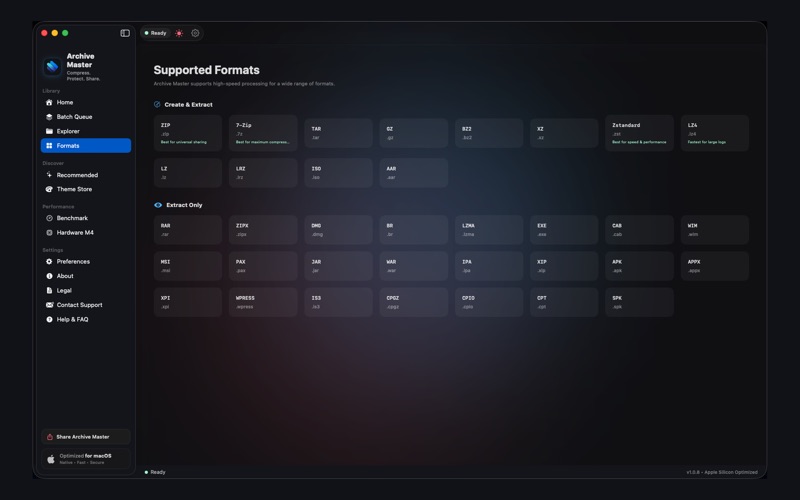
Stop hunting for separate utilities. Archive Master brings the most useful compression and disk-image formats together in one dependable Mac app.
- ZIP, 7Z, TAR, GZ, BZ2, and XZ
- RAR, ISO, DMG, CAB, and more
- Modern Zstandard and fast LZ4 workflows
- 7-Zip LZMA2 and multi-core deflate support
Right-click. Archive. Continue.
Archive Master meets you where your files already live. Compress or extract directly from the macOS Finder context menu without opening another workflow or breaking your momentum.
- Compress selected files and folders from Finder
- Extract archives directly from the context menu
- Keep file operations close to the source
- A native workflow that feels built into macOS
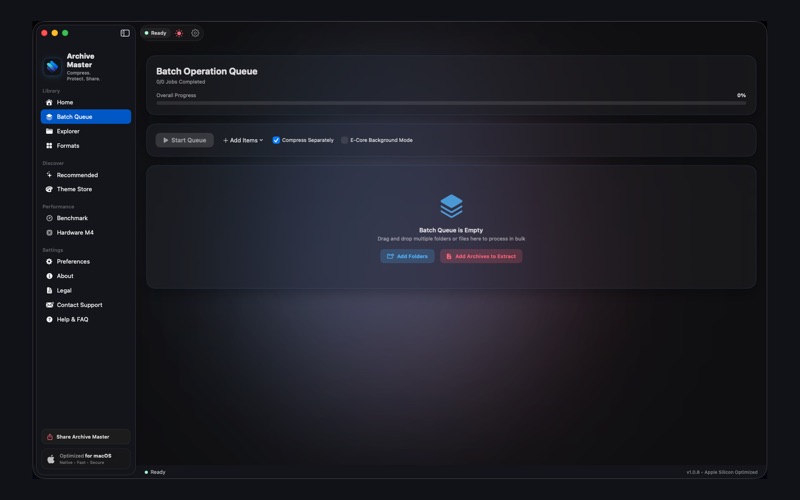
Queue the heavy lifting.
Process gigabytes of video footage, datasets, backups, and design archives in the background. Archive Master keeps work organized while its high-throughput engine moves through the queue.
- Add multiple compression and extraction jobs
- Process large collections without repetitive setup
- Monitor queue status and per-job progress
- Keep working while archive operations run in the background
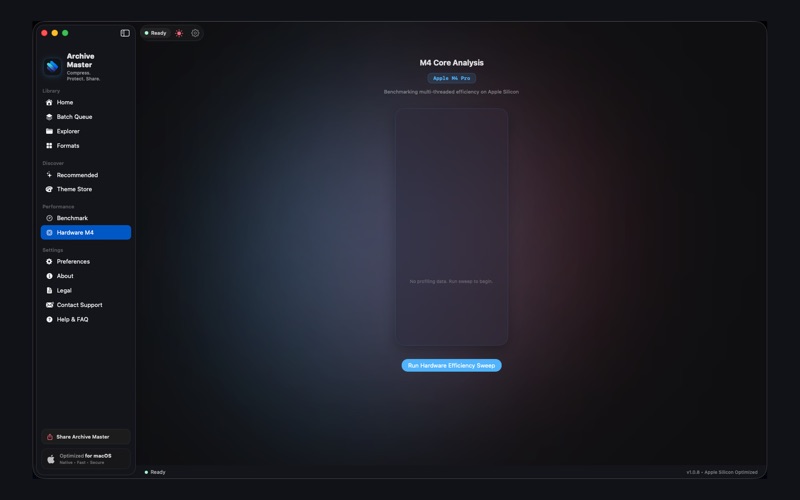
See every core earn its keep.
A live performance dashboard turns archive processing into a measurable system. Watch Apple Silicon core saturation, throughput, compression ratio, and time saved as work happens.
- Real-time Apple Silicon core utilization
- Live throughput measured in MB/s
- Compression ratio visibility while processing
- Time-saved metrics for a clear view of performance
Power tools, with polish.
A glassmorphism-inspired dark interface, fluid layout, and ultra-smooth native animations make complex archive work feel calm and controlled. Every surface is designed to stay out of your way until you need it.
- Aurora dark theme designed for focused work
- Fluid layouts that adapt to your workflow
- Native macOS interactions and animation principles
- Clear hierarchy for files, formats, jobs, and results
Your files are nobody else’s business.
Archive Master is designed to work locally, without analytics, telemetry, or a network connection. Your archives, source files, and compression jobs remain securely on your Mac.
- 100% local, on-device execution
- Zero analytics and zero diagnostics
- Zero telemetry data collection
- No network access required for archive operations
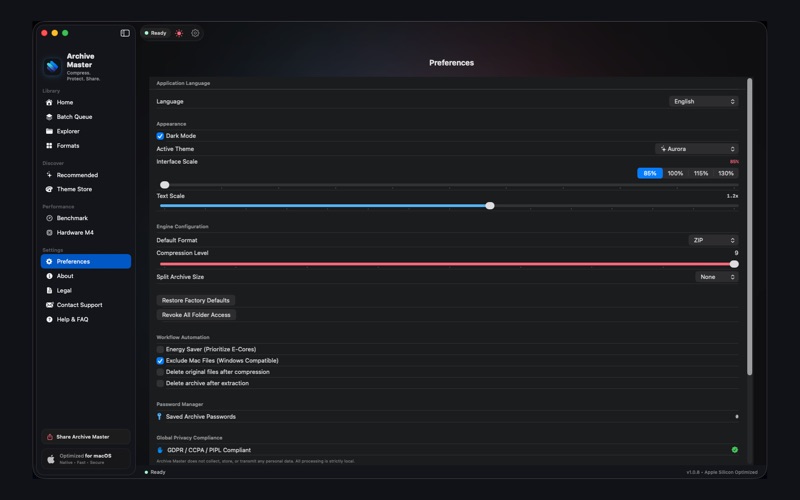
Tune the experience to your work.
From compression behavior to interface preferences, Archive Master gives you a focused control surface for making archive work feel exactly right on your Mac.
- Configure your preferred archive workflows
- Choose performance-oriented compression options
- Manage interface and theme preferences
- Keep power features accessible without adding clutter
Make your workspace yours.
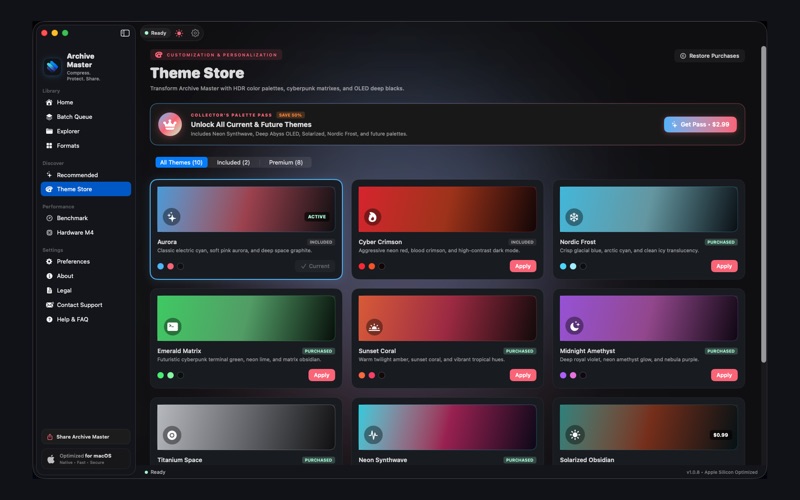
Archive Master ships with the Aurora dark experience. Elevate your setup with bespoke collector themes available as $1.99 in-app purchases, or unlock all with the Collector Palette Pass.
Deep Abyss (OLED)
An OLED-inspired black with deep, dramatic contrast.
Solarized Obsidian
Warm, precise contrast for long sessions.
Titanium Space
Cool metallic tones with a quietly technical edge.
Sunset Coral
Warm coral energy for a brighter workflow.
Midnight Amethyst
A rich violet atmosphere built for focus.
Emerald Matrix
Electric green clarity with a systems-inspired feel.
Neon Synthwave
High-energy color for high-throughput work.
Nordic Frost
Crisp, cool tones with an airy finish.
Collector Palette Pass
Unlock the complete collector theme palette.
Engineered to Apple standards.
Every subsystem is crafted for safety, memory efficiency, and maximum core saturation.
Interested in the Swift, AppKit & Rust Engine Architecture?
Explore our engineering deep dive detailing Apple Silicon memory profiling, multi-core chunk scheduling, and zero-telemetry sandboxing.
Got questions? Answers here.
Everything you need to know about purchasing, compatibility, and format support.
What is Archive Master?
Archive Master is a native macOS archiver and unarchiver for compressing, extracting, and managing files across modern and legacy archive formats. It combines a multi-threaded Rust engine, Finder integration, batch processing, live hardware telemetry, and a privacy-first local architecture.
Which Macs are supported?
Archive Master requires macOS 13.0 Ventura or later and is built natively for Apple Silicon Macs powered by M1, M2, M3, or M4 chips.
Which archive formats can Archive Master open and create?
Archive Master supports ZIP, Zstandard, LZ4, 7Z, TAR, GZ, BZ2, XZ, RAR, ISO, DMG, CAB, and more. Available creation and extraction options can vary by format.
Is Archive Master faster than ZIP?
Archive Master includes Zstandard, a modern compression algorithm that can deliver speeds of up to 5× faster than standard ZIP in suitable workloads. Actual results depend on the format, compression level, files, storage, and Mac hardware.
Can I process multiple archives at once?
Yes. The Batch Queue lets you organize multiple compression and extraction jobs and process large collections in the background.
Does Archive Master work from Finder?
Yes. Use the macOS Finder context menu to compress selected files or extract supported archives without leaving Finder.
Does Archive Master upload my files?
No. Archive operations run 100% locally on your Mac. The app is engineered with zero analytics, zero telemetry, and no network access required.
What does the live hardware dashboard show?
The dashboard provides real-time visibility into Apple Silicon core saturation, processing throughput in MB/s, live compression ratio, and estimated time saved.
How much does Archive Master cost?
Archive Master is $19.99 on the Mac App Store as a one-time purchase. Optional collector themes are available as $1.99 in-app purchases.
Can I customize the appearance?
Yes. Archive Master includes its Aurora dark experience and optional collector themes including Deep Abyss, Solarized Obsidian, Titanium Space, Sunset Coral, Midnight Amethyst, Emerald Matrix, Neon Synthwave, and Nordic Frost.
Your archives can
move 5× faster.
Bring a native, private, high-performance archive workflow to your Mac. Built for Apple Silicon. Designed for modern creators and engineers.